loader

Activity No. 1: Lighting a led (Starter kit Vittascience)

Lighting a led with the NUCLEO-L476 board.
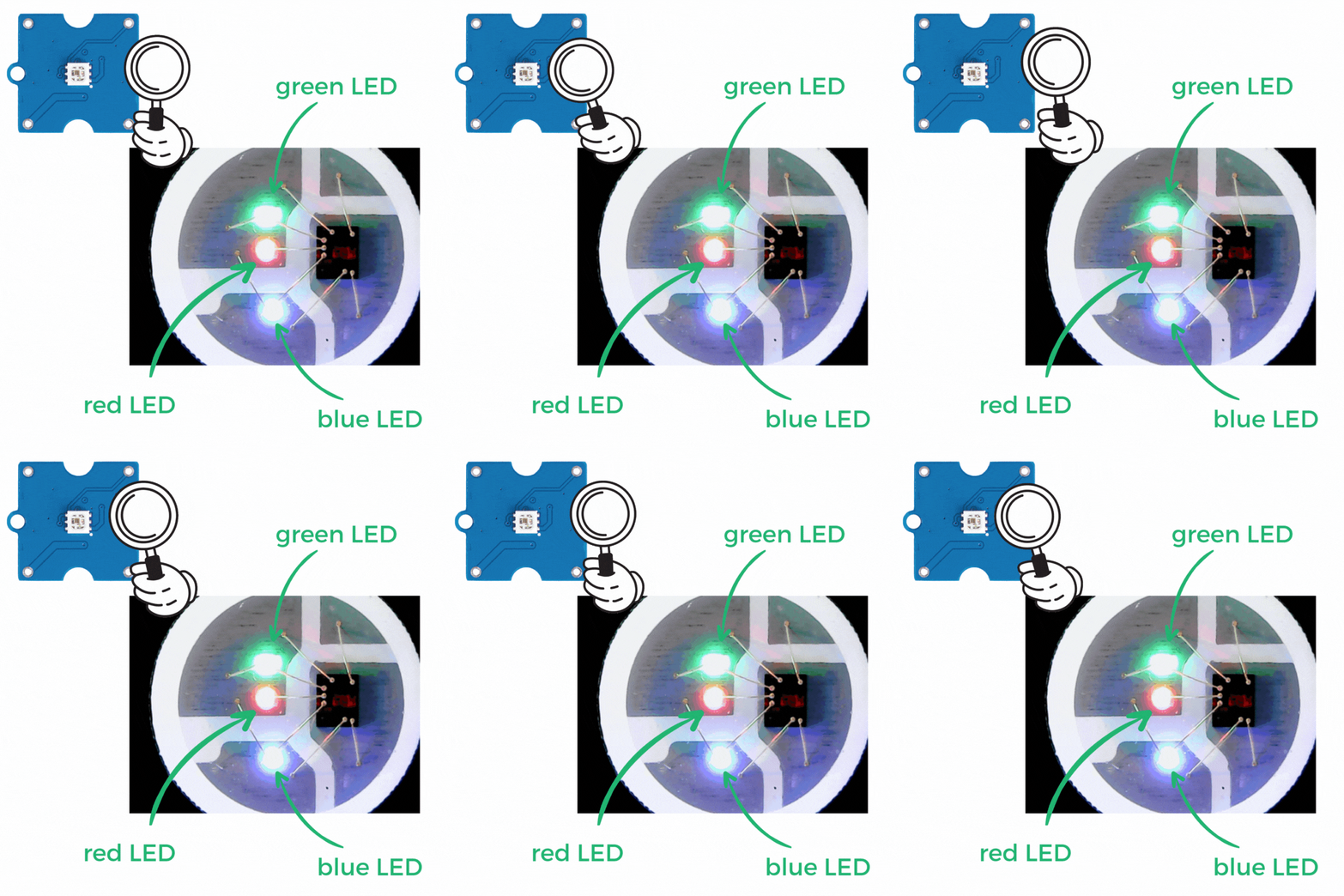
The Grove Neopixel RGB LED module consists of an LED whose color can be chosen by the user. The denomination RGB refers to the three primary colors: R (red - red) / G (green - green) / B (blue - blue). This module therefore consists of a set of three tiny LEDs that can be lit at the same time to form different colors (orange, yellow, purple, etc.) 

neopixel-zoom

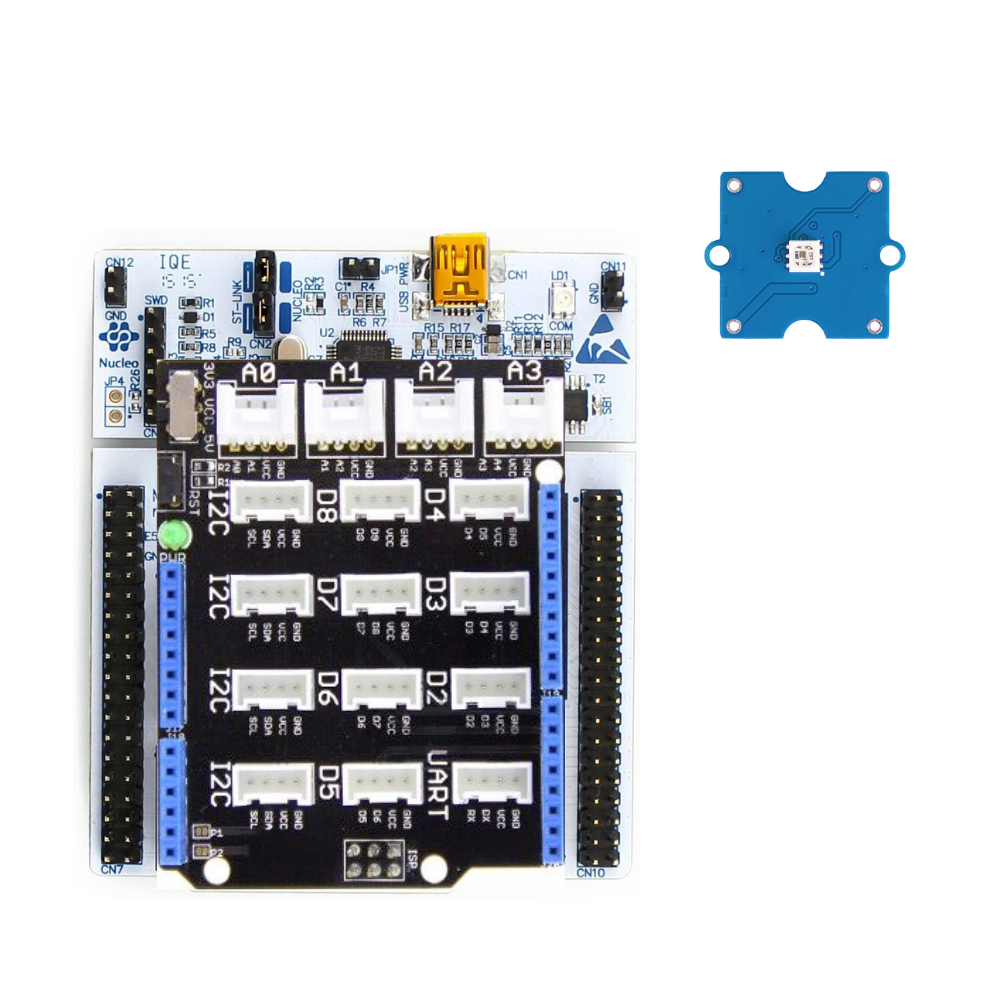
To make this LED work using the NUCLEO-L476RG board, the following connection must be made: 
- Connect the Shield Grove to the card connectors. 
- Connect using the Grove cable, the LED to one of the available ports. We will choose port D2.
Led-neopixel-FR
Be careful to respect the direction of connection of the Grove cable (4 wires in 1 with polarizing slot).

Let's get to the programming now! 

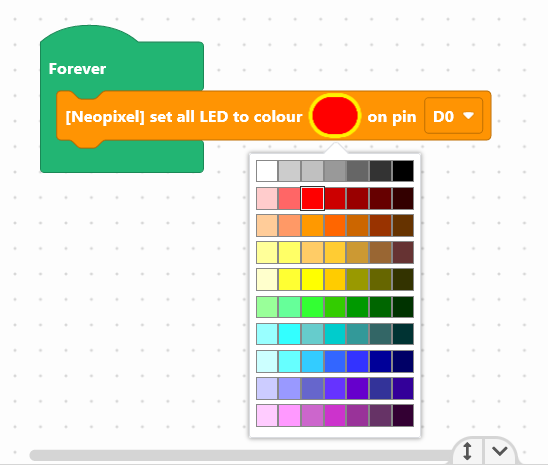
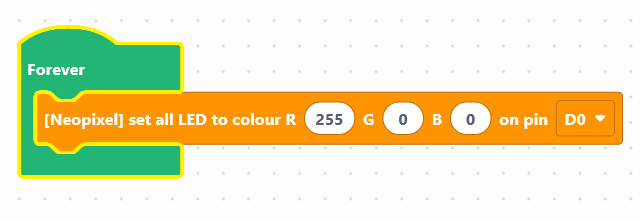
We are going to use the block: "[Neopixel] set all LED to colour  ... on pin D0", available in the Display of the blocks locker.

allled-en

By clicking on the colored bubble, it is possible to select a predefined color in the grid. 

If you wish to individually modify each of the three LEDs (RGB) making up the module in order to obtain a specific color, you must use the following block: 
allled-en-1


Use the following interface to program the module: 

Once the program has been created, it must be copied onto the card. To do this, you must use the "Upload" button (see Activity 0: Getting started with the board)

In this part, we suggest that you flash the LED to obtain a traffic light.
Here is the program to create so that it runs continuously: 
- Light the LED in red
- Wait 30 seconds
- Light the LED in green
- Wait 30 seconds
- Light the LED in orange
- Wait 5 seconds
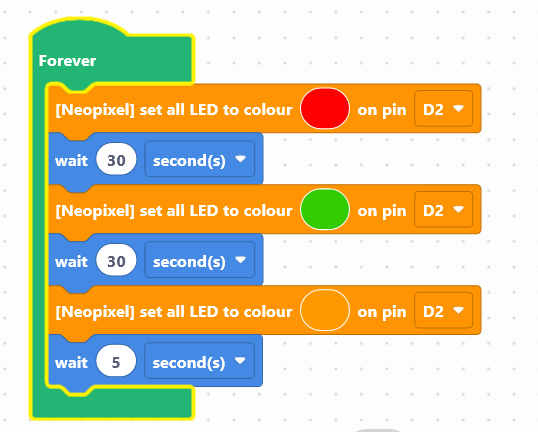

Blocks are already available on the work area. Now it's up to you:  
Launch the simulator to check that your program is running correctly or download it to the card. 


You succeeded ? Perfect, you now know how to program an LED using your NUCLEO-L476RG board! 
Discover the other activities of the Starter kit by clicking on the icons below.

sol-neop-en

User licence